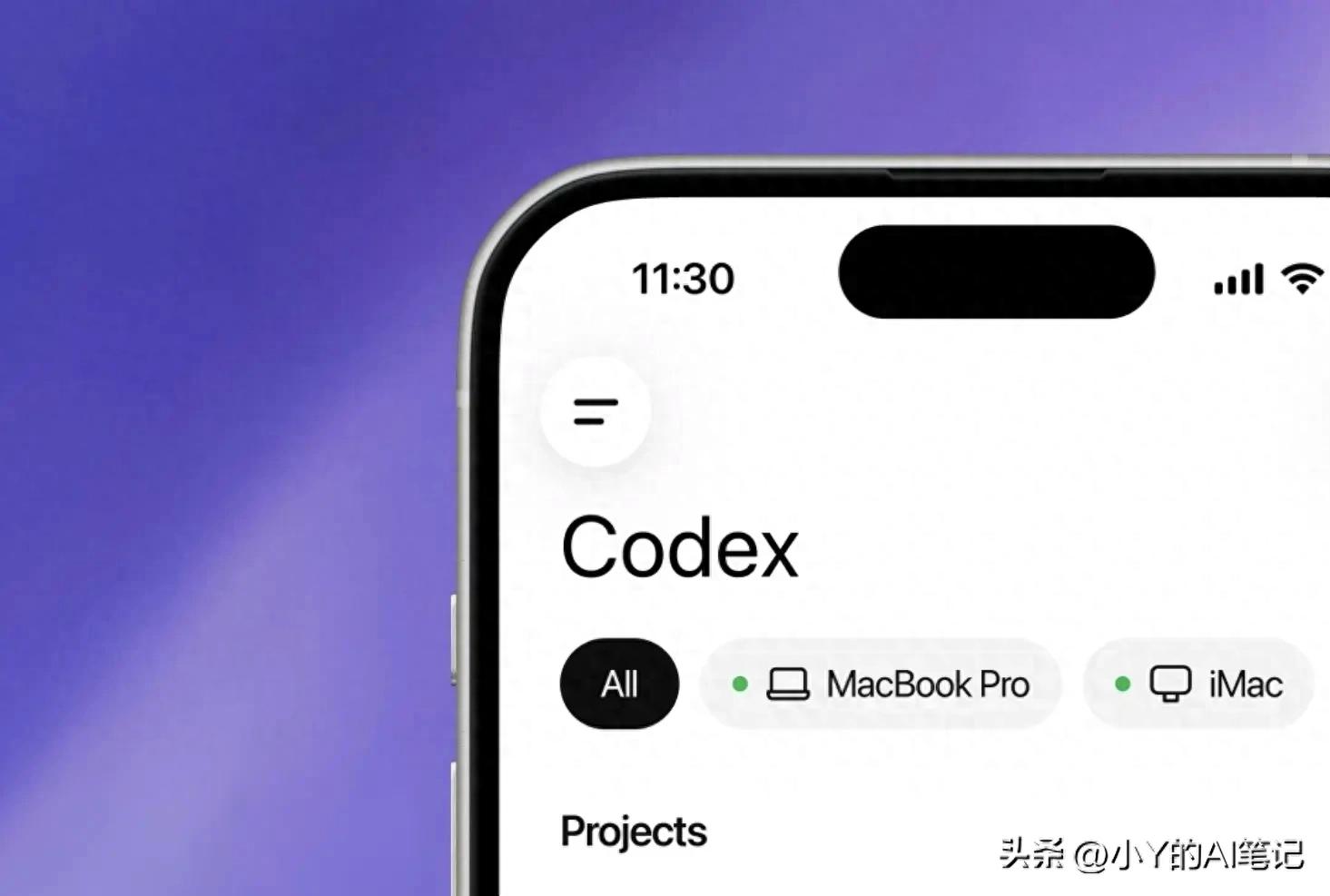
At 8:17 AM on the Beijing subway Line 10, you find yourself squeezed between two suits and a canvas bag when your phone lights up.
It’s not WeChat or an email; it’s a notification from ChatGPT—“Code refactoring task completed, awaiting your approval to merge.”
You swipe open the screen to see the diff view and test results.
The AI agent has been working while you slept, now waiting for you to hit Approve.
This isn’t a scene from a sci-fi novel. On May 14, 2026, OpenAI officially announced the integration of its AI programming agent Codex into the ChatGPT mobile app, making a preview version available to users on both iOS and Android.
But if you think this is just about moving coding tools to mobile, you misunderstand its significance.
Mobile as a “Decision Room”
Don’t Worry About Phone Performance; It Doesn’t Run Code
Many people’s first reaction is: With such limited computing power, what code can a phone write?
The answer is: Nothing runs locally.
Codex does not operate on the mobile device itself. The ChatGPT app acts as a “relay channel,” allowing you to interact with a pre-configured environment set up by developers—whether it’s a physical machine like a Mac mini or a cloud workspace.
The phone is merely a display and approval button.
All real computing, file reading, and test execution happen on your home or company Mac. The phone is a super remote control; the Mac is the engine.
“Secure Relay Layer”: An Invisible Firewall
You might wonder: Isn’t the code exposed on the public internet?
To address this, OpenAI designed a “Secure Relay” layer.
This relay mechanism allows local machines to be accessed from different devices while protecting user identities from being exposed online. It synchronizes real-time session states and contexts across all devices linked to the user’s ChatGPT account, while all files, credentials, and permissions remain locked on the local machine running Codex and are never uploaded.
Files, credentials, permissions, and local tools stay on the machine executing the work. Codex continuously runs from the connected environment, with the phone serving only as a “companion layer” for the session.
This design may seem “conservative,” but this restraint reflects the maturity of the product.
Clear boundaries of capability are the foundation of trust in enterprise tools.
What You Can Do on Mobile
On mobile, you can: start or continue threads, answer questions, adjust directions, approve actions, view content discovered by Codex, and switch connected hosts without leaving your work.
In simpler terms: The machine does the work; you make the decisions.
Ordinary People Reaping the Benefits Without Knowing Code
“Vibe Coding”: The Era of Writing Software with Words
To understand the true impact of this update, we need to clarify a key term—Vibe Coding.
This concept was introduced by OpenAI co-founder and former Tesla AI head Andrej Karpathy in February 2025. He described it as a development method that follows intuition, embraces exponential growth, and even forgets about the code itself.
In simple terms: You no longer type if/else; you are “issuing commands”.
While this sounds appealing, the reality is more complex.
Pure Vibe Coding works for simple projects, but it becomes challenging as scale increases—its main flaw is the lack of best practices and common agreements, leading different developers to use AI to produce various solutions for the same problem.
Evolution: Vibe Requests and Spec Requests
Thus, the AI programming field is undergoing an upgrade.
Two request modes are becoming mainstream:
Vibe Requests are where you provide a vague sense of direction:
“Help me extract yesterday’s financial report data, create a visualization dashboard, with a techy style.”
Spec Requests involve precisely describing your needs like writing a product requirement document:
“Pull Q1 revenue data from the specified API, present it using an ECharts line chart, use the company’s primary color #1A73E8, and ensure mobile compatibility.”
The key distinction is that you must separate “what to do (What)” from “how to do it (How)”. When these two are mixed in the same prompt, the AI loses focus—it might get the goal right but overlook the constraints, or vice versa.
Workers Evolving into Project Managers
This is the most noteworthy aspect of OpenAI’s mobile update for ordinary people.
You don’t need to know Python or React; you just need to understand the business.
The AI agent runs tests, writes code, and submits PRs on the Mac; you only need to check the results on your phone while on the subway or in a café and hit Approve or Reject.
OpenAI clearly states that this is “not just the ability to remotely control a single task or dispatch new tasks to a computer,” but a complete asynchronous collaboration mechanism: working across threads, reviewing outputs, approving commands, switching models, or starting new tasks—all from the mobile phone.
The role of workers is evolving from “executors” to “supervisors/approvers”.
AI is the intern who never clocks out, while you are the PM who can call a meeting anytime.
Why OpenAI is Eager to Compete on Mobile
The Pressure from Claude Code
This update is backed by a visible turf war.
Tech media outlet TechCrunch directly pointed out that there is a “low-intensity war” between OpenAI and Anthropic, competing to release the most convenient and powerful AI programming tools, with Anthropic seemingly gaining the upper hand. Many companies view Anthropic’s Claude Code as the preferred tool.
Anthropic had already provided mobile access capabilities for Claude Code through its “Remote Control” feature last fall, allowing users to monitor programming sessions from their phones.
OpenAI’s mobile strategy is a direct response to this competitive threat.
This integration is interpreted as a move to counter Anthropic’s market share expansion, prompting OpenAI to cut back on internal “side projects” to focus resources on ensuring Codex’s mobile launch.
Disruption from Open Source
What makes the giants uneasy is the disruptive threat from the open-source community.
Launched at the end of January 2026, the open-source AI agent project OpenClaw has quickly gained traction on GitHub, surpassing 100,000 stars, becoming a phenomenon in the AI agent space.
Its core strength lies in: local deployment on personal computers, with data never uploaded to the cloud, while supporting remote wake-up through popular domestic communication tools like WeChat, Feishu, and Telegram, directly operating files, browsers, and applications. Its slogan is “The AI that actually does things.”
OpenClaw is capturing market share in the desktop agent space.
OpenAI’s ambition in the mobile arena is part of a larger strategy—whoever controls the workers’ phones controls the ultimate gateway to future human-machine collaboration.
Mobile is the battlefield for approval flows and fragmented attention.
Commutes, lunch breaks, bathroom visits—these “gap times” will all become part of the AI workflow.
Welcome to the Era of Asynchronous Human-Machine Collaboration
The essence of this shift is a paradigm change in work modes.
Machines are on standby 24/7 to run tasks, while humans make decisions anytime, anywhere.
The traditional “9 to 5” may be replaced by “approval anytime.”
Codex currently boasts over 4 million weekly active users, and OpenAI positions this mobile integration as a “truly complete mobile experience for work.”
This is not the future; it is happening now.
Every ordinary person who masters the ability to make Spec Requests is quietly pulling ahead of their peers.
Finally, a Question for the Comments
When AI assistants are working harder than you, running tests and waiting for your approval after hours—
Have we achieved the ultimate liberation of workers, or are we being more thoroughly bound by capital around the clock?
Feel free to share your thoughts in the comments.
Comments
Discussion is powered by Giscus (GitHub Discussions). Add
repo,repoID,category, andcategoryIDunder[params.comments.giscus]inhugo.tomlusing the values from the Giscus setup tool.